
Create your document
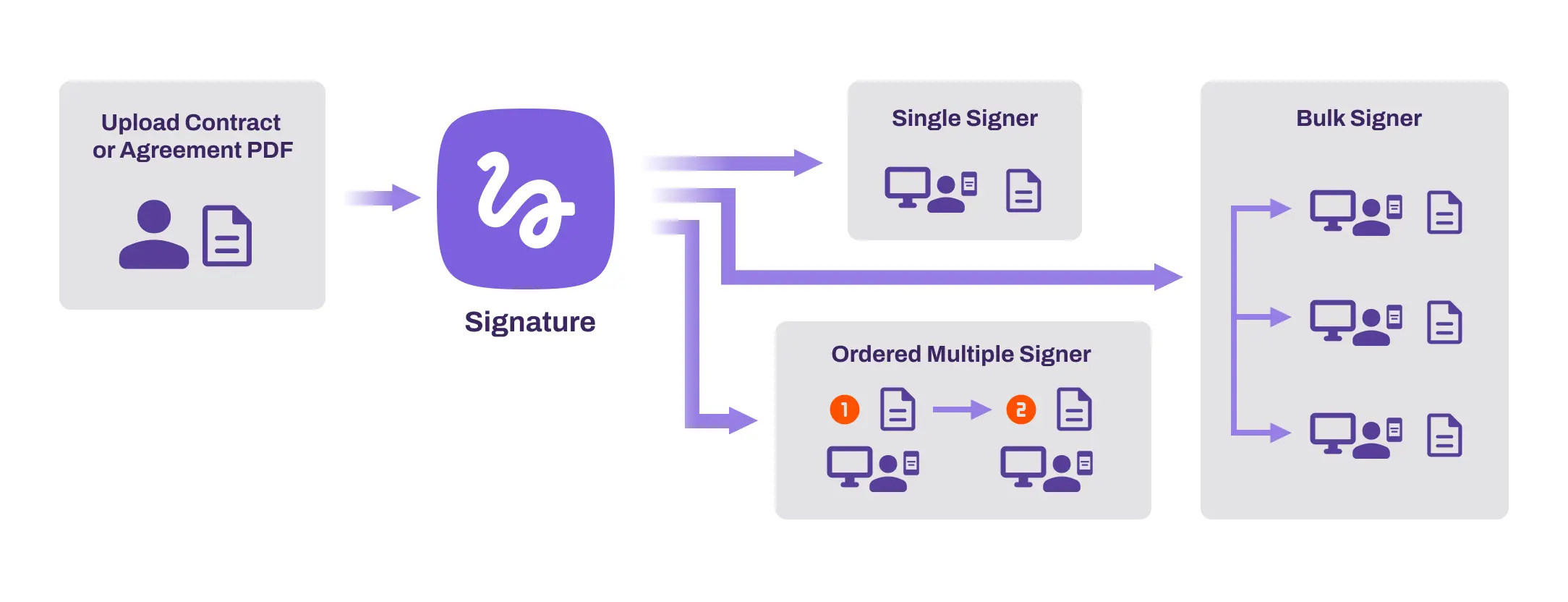
Prepare the document, define the required fields and decide who needs to sign.
Legally binding eSignatures made simple
Send, sign and track agreements from anywhere, while giving your team the audit trail and document integrity controls needed for everyday European business workflows.

Modernize signatures
Vasion Signature is part of the wider Vasion Automate platform. It helps teams create documents, send signature requests to email recipients, track progress and receive signed documents without print, scan and manual chase cycles.
eIDAS explained
eIDAS separates electronic signatures into three levels. Vasion Sign can fit different levels depending on deployment, identity controls and whether a qualified trust provider is added.
| Signature level | What it is | Vasion Sign capability | Typical EU use case |
|---|---|---|---|
| 1. SESSimple Electronic Signature | A basic digital mark, typed name or drawn signature on screen. | Standard setup. Vasion Sign functions at this level out of the box, with signing workflow and audit evidence. | Internal approvals, B2B procurement, standard NDAs and routine service agreements. |
| 2. AESAdvanced Electronic Signature | A signature uniquely linked to the signer, supported by identity controls and tamper-evident document integrity. | Supported with configuration. Vasion Sign can support AES-style workflows when paired with user permission management, signer tracking and strong document controls. | Commercial contracts, employment agreements, lease documents and higher-value operational approvals. |
| 3. QESQualified Electronic Signature | The highest eIDAS level, using identity verification by an EU-accredited Qualified Trust Service Provider (QTSP). | Conditional. Vasion Sign requires explicit integration with an EU-certified QTSP for QES workflows. | Highly regulated documents, government forms and cases where a wet-ink equivalent is required. |
Court defensibility
For a signature workflow to be defensible, you need to show authenticity and integrity: who signed, when they signed, and whether the document changed after execution.
How it works
Prepare the document, define the required fields and decide who needs to sign.

Send requests directly to signers by email so they can review and sign on their own device.
Follow progress, receive notifications and store completed evidence for future review.
Important exceptions
Vasion Sign is suitable for many standard sales, operations, HR and procurement workflows. Some EU jurisdictions and document types may still require paper, notarization or QES. For highly sensitive or regulated transactions, IQIT can help you map the document category to the right eIDAS level and decide whether QTSP integration is required.
This page is practical implementation guidance, not legal advice. Always confirm high-risk document categories with qualified legal counsel.
IQIT can help assess your signature workflows, eIDAS requirements and Vasion deployment options.